

09 Nov What is video surveillance and how it protects homes and businesses
What is video surveillance and how it protects homes and businesses
If you are wondering what video surveillance is, the short answer is this: a system of cameras, recording and viewing that lets you see what is happening in a property, live or afterwards, from a monitor, a phone or a computer. In homes, shops, offices and residents' communities it serves to deter, to check what happened and to verify alarm alerts by image. In this guide we explain how it works, which types of camera exist, what the regulations say and how to plan an installation that is genuinely useful.
VIAN SEGUR guide · Video surveillance
Cameras with a clear purpose, integrated with the alarm
A camera only adds security if it is well located, records with quality by day and night and someone can consult its images when needed. That is why at VIAN SEGUR we study the space before choosing equipment.

Since 1989
Experience in security systems
Assigned technician
Follow-up and maintenance

GSM / LAN
Dual-path communication

Remote management
Control and alerts from your phone

What is video surveillance and what is it for
Video surveillance is the use of cameras to observe, record and review what happens in a space. A complete system is not limited to cameras: it includes a video recorder that manages the images and stores them securely, the cabling or network that connects the equipment and remote access to consult the images from anywhere.
It is also known as CCTV, short for closed-circuit television, because the images travel through a private system and are seen only by authorised people. Today most installations combine local recording with viewing from your phone, and that has changed how cameras are used at home and in business: you no longer need to be in front of a monitor to know what is happening.
In practice, a well-done video surveillance installation answers specific needs: seeing who is knocking at the door, knowing whether the premises were left locked, checking what happened in the storeroom overnight or confirming an alarm alert without having to travel.
Deterrence
A visible camera on the façade, the entrance hall or the entrance of a shop signals that the property is monitored. It does not replace the alarm, but it reduces the interest of someone looking for an easy target and helps prevent vandalism on façades, shop windows and common areas.
Supervision and event review
It lets you check live what is happening in the home or business and review recordings when there is an incident: a forced door, damage to the façade, a delivery that never arrived or a problem at the till.
Image verification of alerts
Integrated with the alarm, the camera helps confirm whether an activation corresponds to a real intrusion or a false alarm. It is one of the uses that adds the most value when the system is connected to a receiving centre, because the response is triggered with more information.
How a security camera system works
The cameras capture the image and send it to the video recorder, by cable or over the property's network. The recorder stores the images for the configured period and lets you consult them on a monitor in the property itself or remotely. With remote access properly configured, you can watch the cameras live and review recordings from your phone or computer.
How long recordings are kept depends on the recorder's capacity and the number of cameras, but data protection rules set a limit: images must be deleted within a maximum of one month, unless they are needed to prove a fact.
Recording by day and night
The cameras VIAN SEGUR installs are high-resolution and perform well in low light. For the night, infrared vision is used and, on unlit perimeters, thermal cameras that detect people in total darkness.
Conventional and IP cameras
Conventional cameras connect to the recorder by cable and are very versatile. IP cameras work over the network and offer high resolution and more advanced remote access. The choice depends on the building, the number of cameras and the infrastructure available.
Integration with the alarm and access control
Cameras can be integrated with perimeter alarms, wired alarms and access control systems. That way all security is managed from a single platform, and both detection and the response to an incident improve.
Video surveillance in homes, businesses and communities
Cameras adapt to very different spaces, but the starting question is always the same: what do you need to see and why. A camera with no specific purpose ends up recording hours of footage that nobody reviews, while the entrance that really matters is left out of frame.
Homes, detached houses and flats
In detached houses, cameras are usually placed on the perimeter and combined with a perimeter alarm to detect before the intruder reaches the house. In flats, discreet interior cameras are installed. If you are looking for a device that brings detection and image together, you may like to know what an alarm with a camera is.
Shops, offices and warehouses
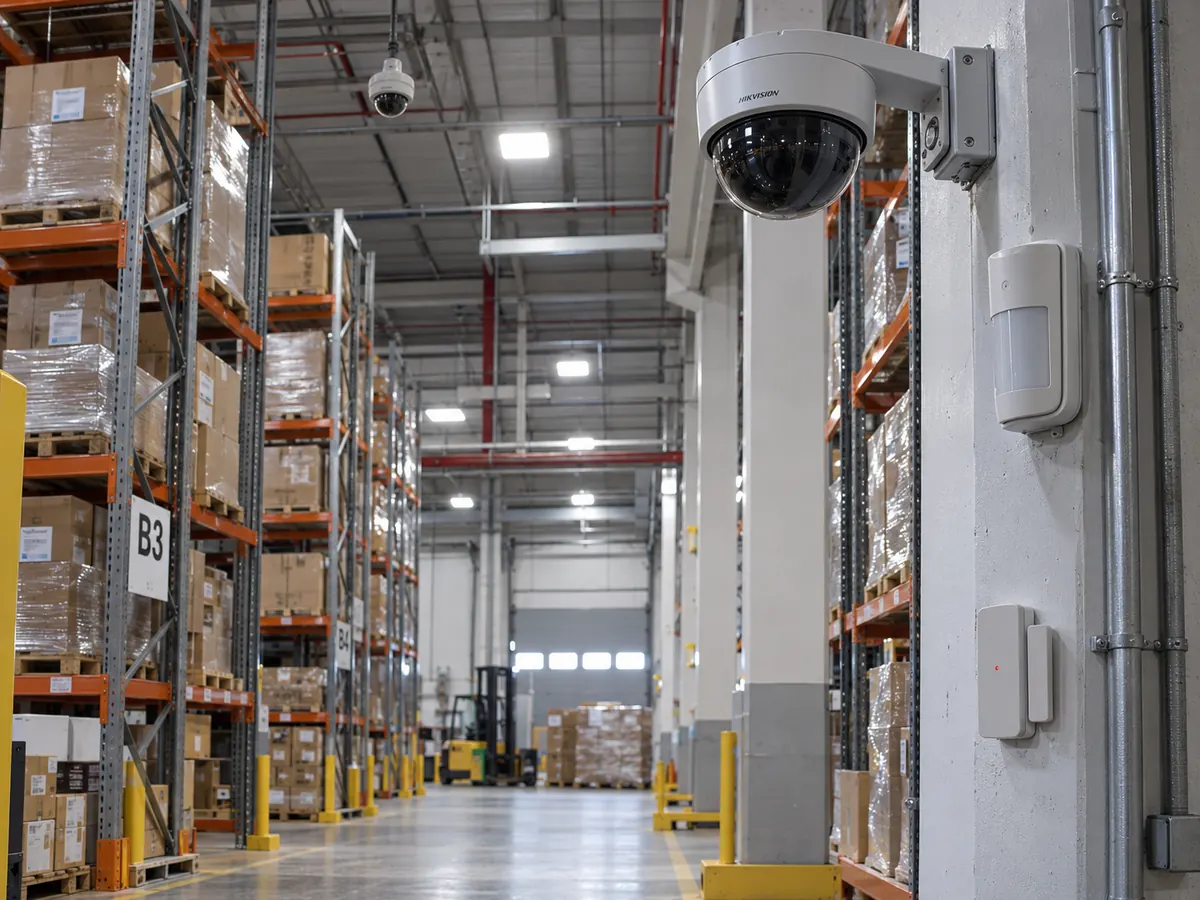
In a business, cameras make it possible to supervise the premises in real time and to review the till area, goods entrances and storeroom. In grade 3 installations, CCTV is integrated with the alarm control panel. For large areas, car parks and warehouses, motorised cameras with zoom and pan are used.
Communities of owners
Entrance halls, garages and perimeters are the usual points. The agreement of the owners' meeting is needed, along with information signs and cameras aimed only at common areas. At VIAN SEGUR we have a CCTV solution for communities with flexible financing and the first year of maintenance included.

Types of cameras and when each one suits
This table summarises the most common types of cameras in homes, businesses and communities. It is a general reference: the final choice depends on the space, the lighting and what you want to see.
Camera type
Everyday use
Advantage
Conventional (bullet or dome)
Outdoors and indoors
Deterrent and versatile
IP camera
Network-connected systems
High resolution and advanced remote access
Motorised (PTZ)
Large areas, car parks and warehouses
Long range with zoom and pan
Micro camera
Interiors where discretion is wanted
Goes unnoticed
Thermal
Perimeters and unlit areas
Detects people in total darkness
More cameras does not mean more security. A few well-placed cameras covering real entrances and routes are usually more useful than many scattered without criteria.
What the regulations say about security cameras
A camera that captures people processes personal data, so the installation has to respect the General Data Protection Regulation and Organic Law 3/2018 on Data Protection. It is not a minor formality: a badly aimed camera or one without a sign can turn a security measure into a problem.
The basic rules are easy to comply with if they are taken into account from the design stage. That is why in the preliminary study we decide not only where each camera goes, but also what it must not capture.
Information sign
A sign must be placed in a visible place warning that the area is under video surveillance, stating who is responsible and how to exercise data protection rights.
What can be recorded
Cameras must point at the property itself. The public road may only be captured to the extent essential to protect the entrance, and they must never be aimed at neighbouring homes or properties.
Cameras in the workplace
If the business has employees, they must be informed in advance of the existence of the cameras and their purpose. They cannot be installed in changing rooms, bathrooms or rest areas.
How to choose a camera system for your property
Before talking about resolution or brands, it is worth answering three questions. The answers define how many cameras are needed, of what type and how they will be managed, and avoid buying equipment that does not fit the real use of the property.
On the technical visit we walk through the space with the person who uses it every day. A shop that opens first thing, an office that sits empty at weekends and a detached house with a plot have very different needs, even if all three want to "put in cameras".
What you need to see
Recognising a face at the door is not the same as watching a whole plot or checking that the shop's shutter is down. Each aim calls for a different camera, lens and mounting height, and that is why we define the purpose of each one before choosing it.
Where the images are stored
The video recorder stores the recordings in the property itself. It is advisable to install it in a protected place, out of sight, so that an intruder cannot take it, and to size its capacity according to the number of cameras and the days of recording needed.
Who will consult them
You need to decide which people will have access from a phone or computer and with what permissions. In a business, for example, the manager can see all the cameras and a supervisor only those of their shop. Fewer people with access also means fewer risks to privacy.
How VIAN SEGUR plans a video surveillance installation
Before installing, we study the surroundings to decide where to place each camera and which equipment is appropriate. Afterwards, maintenance keeps everything working.
01
We study the property
We visit the space and listen to how you use it: schedules, entrances, valuable areas and people coming and going.
02
We identify the risks
Entrances, blind spots, exposed areas and places with insufficient lighting.
03
We install and programme
A technician and an engineer leave the cameras, the recorder and phone access configured.
04
We maintain
Your assigned technician checks cameras, recorders and connections at the annual maintenance.
Cameras and ARC connection
When the cameras are integrated with an alarm connected to an Alarm Receiving Centre, the image serves to verify alerts and rule out false alarms before the response is triggered.
Discreet cabling
Whenever possible, the cables run inside the property's electrical installation so that they are seen as little as possible and the system stays clean and stable.
Do you want to know where to place each camera?
We visit your home, business or community, study entrances and blind spots and propose a system with a clear purpose for each camera.
Common mistakes when installing security cameras
Placing cameras without deciding beforehand what each one has to see.
Choosing cameras without night vision for unlit outdoor areas.
Aiming cameras at the public road or at neighbouring properties.
Forgetting the information sign required by data protection rules.
Keeping recordings for more than a month without a justified reason.
Installing the system and never checking the recorder, the disks or the connections.
Frequently asked questions about video surveillance
What is video surveillance?
It is a system of cameras, recording and viewing that lets you watch live and review later what happens in a property. It is used to deter, to supervise and to verify alarm alerts by image.
What is the difference between video surveillance and CCTV?
In practice they are used as synonyms. CCTV stands for closed-circuit television: the images travel through a private system and are seen only by authorised people.
Can I see the cameras from my phone?
Yes. We configure remote access so you can watch the cameras live and review recordings from your phone or computer.
How long can recordings be kept?
Images must be deleted within a maximum of one month, unless they are needed to prove a fact. The real capacity depends on the recorder and the number of cameras.
Do the cameras record at night?
Yes. We install cameras with infrared night vision and, for unlit perimeters, thermal cameras.
Can cameras be installed in a community of owners?
Yes, with the agreement of the owners' meeting, information signs and cameras aimed only at common areas.
Do cameras replace the alarm?
No. The alarm detects the intrusion and raises the alert; the cameras deter, show what is happening and verify alerts. The most effective approach is to integrate them in a single system.
Request a video surveillance assessment for your home or business
At VIAN SEGUR we study the space, place each camera where it adds value and leave the system viewable from your phone, with an assigned technician for maintenance. See also our CCTV cameras.
Request a security assessment
No Comments