

23 Nov What is access control and how it integrates with the alarm
What is access control and how it integrates with the alarm
Understanding what access control is is useful for any business, office or community that wants to know who comes in, by which door and at what time. It is the system that identifies each person before a door is opened, applies the permissions assigned to them and keeps a record of every pass. Integrated with the alarm and cameras, it lets you manage all of a property's security from a single platform. In this guide we explain how it works, which types exist and when it is worth installing.
VIAN SEGUR guide · Access control
Who comes in, by which door and at what time, under control
A well-planned access system replaces keys that get copied and lost with permissions that are granted and withdrawn instantly. At VIAN SEGUR we integrate it with the alarm and CCTV so that everything works as a single system.

Since 1989
Experience in security systems
Assigned technician
Follow-up and maintenance

GSM / LAN
Dual-path communication

Remote management
Control and alerts from your phone

What is access control
It is an electronic system that regulates entry to a building, a floor or a room. Instead of relying on a physical key, the door opens when the system recognises an authorised person, and only within the hours and zones they are allowed.
Its value is not only in opening and closing. Every access attempt is recorded with date and time, so the person in charge can know who went into the storeroom, who opened the office on Saturday or since when an employee no longer has permission. It is a security tool and also an organisational one.
Today these systems are no longer exclusive to large companies. An office with a few employees, a restaurant with several shifts or a residents' association with a garage can benefit from leaving mechanical keys behind and knowing, at any moment, who has permission to enter.
Identify
The system recognises the person by means of a code, a card, an electronic key, a phone or biometric data.
Authorise
It checks whether that person has permission for that door at that moment. Permissions can vary by zone, day and time slot.
Record
It stores every access, allowed or denied, so it can be consulted later or unusual behaviour can be detected.
How an access control system works
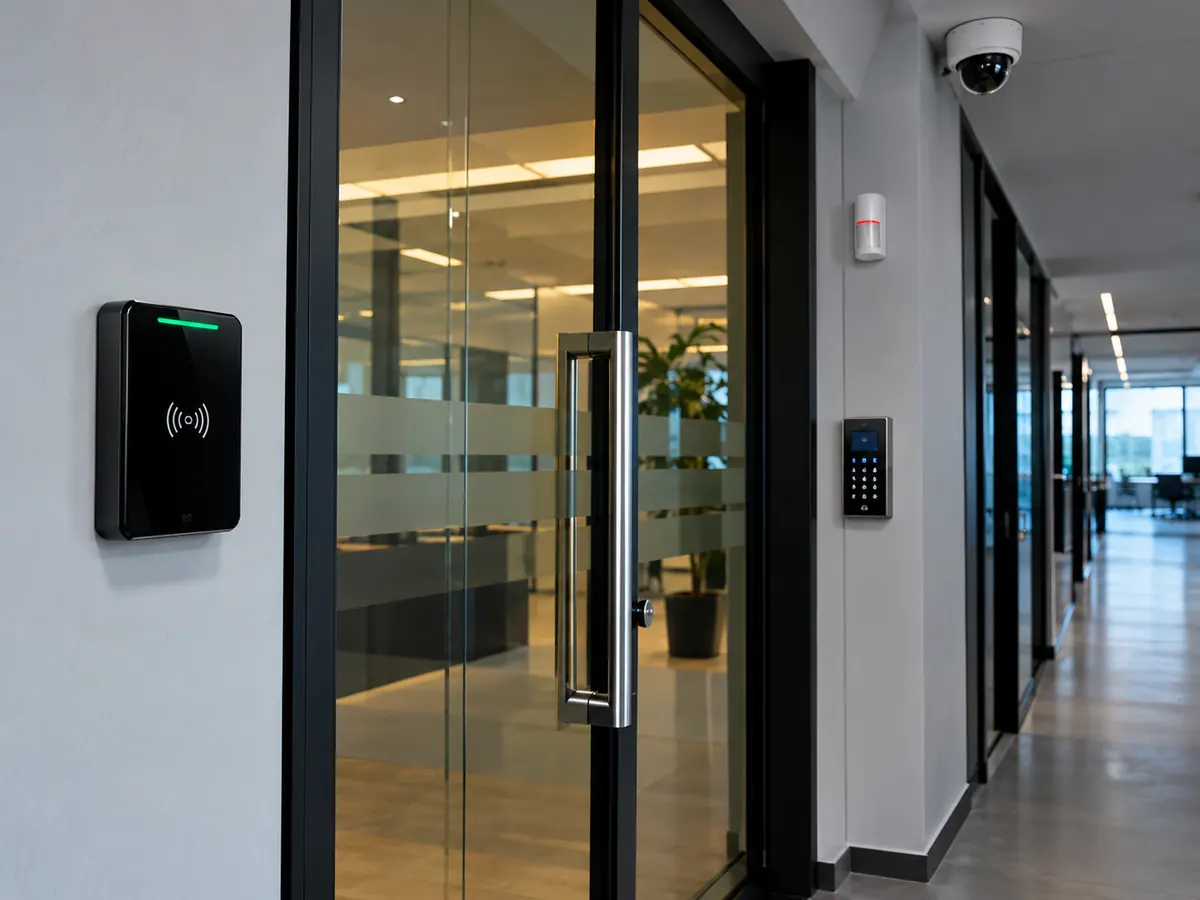
Although solutions vary greatly, almost all share the same elements. The reader picks up the identification, the controller decides whether the person can pass, the lock or closing device carries out the order and the software lets you manage users, permissions and records.
Installations can be very simple, with a keypad and a lock on a single door, or span several floors and buildings managed from one programme. What matters is that the design responds to how the property is used and that it can grow if needs change.
Reader or keypad
It is placed next to the door and reads the credential: a code, a proximity card, a key fob or a fingerprint. It is the part the user sees.
Controller and software
It is the brain of the system. It stores the users and their permissions, decides whether to open and records each event. From the software, users are added and removed without changing locks.
Lock and door sensors
An electronic lock or strike releases the door when the controller authorises it. A sensor confirms whether the door has closed or has been left open.
Types of identification: code, card, biometrics or phone
The way of identifying yourself shapes convenience and the level of security. In many properties several are combined: for example, a card for staff and a code for a supplier who comes in occasionally.
The usual approach is to choose the identification with the person who will use it in mind. Permanent staff appreciate a convenient credential they do not have to remember, while for visitors, delivery people or external technicians a temporary code that expires when the job ends is more practical. Mixing methods does not complicate the system: all of them are managed from the same software.
Code or PIN
It is simple and requires nothing to be handed out. Its weak point is that the code can be shared, so it should be changed often or assigned individually to each person.
Proximity card or key fob
It is the most common system in offices and residents' communities. If one is lost, it is cancelled immediately without changing the lock.
Biometrics
Fingerprint or facial recognition. The credential cannot be lent or lost, which is why it is used in sensitive areas. It involves processing biometric data, so it must be justified and comply with data protection rules.
Phone
The phone works as a credential or allows doors to be opened remotely. It is practical for managing access for people who are not in the property.

Comparison of identification systems
This table summarises the practical differences between the most common forms of identification. It is a general reference: the right combination depends on the property and who uses it.
Identification
Everyday use
Points to bear in mind
Code or PIN
Small premises, suppliers, occasional access
It can be shared; one code per user is advisable
Card or key fob
Offices, communities, garages
It can be lost, but is cancelled immediately
Biometrics
Sensitive areas, archives, technical rooms
Requires justifying the use of biometric data
Phone
Remote access management
Depends on coverage and the phone
The most secure credential is useless if permissions are not reviewed. Removing people who no longer work at the business and adjusting schedules is as important as the reader that is installed.
Where it makes sense to install it
Not every property needs the same level of access management. The decision depends on how many people come in, whether there are areas that must remain restricted and how much it costs today to manage keys, copies and lock changes.
A good sign that it is worth it is when key management starts to take up time: copies spread among employees, locks changed every time someone leaves the company or doubts about who opened the door on a particular day. In those cases, the saving in management and the peace of mind of having every access recorded justify the installation.
Offices and practices
Several people come and go on different schedules and there are areas holding documents, servers or equipment. Assigning permissions per employee and per time slot prevents unnecessary access outside the working day.
Shops and hospitality
Shifts, early openings, suppliers and cleaning staff. Knowing who opened and closed the premises, and being able to withdraw a permission instantly, greatly simplifies day-to-day management.
Communities and garages
Entrance halls, garages and storage rooms with many users. Cards or key fobs replace mechanical keys and are cancelled if lost, without changing the cylinder for the whole community.
Warehouses and facilities
Large areas with several entrances, loading bays and technical zones. Combined with perimeter protection and cameras, it makes it possible to control who enters each area.
Advantages over the traditional key
A mechanical key can be copied without anyone knowing, leaves no trace of who has used it and, if lost, forces you to change the lock and hand out new copies. An electronic credential solves all three problems.
In addition, the event log provides useful information beyond security: real opening times, access outside working hours or doors that are often left open. With that data it is easier to adjust permissions and spot habits that weaken the property's protection.
Instant additions and removals
Giving access to a new employee or withdrawing it from someone who leaves is a matter of minutes from the software, with no locksmith or copies.
Tailor-made permissions
Each person enters only the zones and at the times they need. A supplier can have access to the storeroom in the morning and nothing else.
Access, alarm and cameras in one system
Access management performs best when it does not work in isolation. VIAN SEGUR integrates alarm, CCTV and access control to manage all of the property's security from a single platform, so that detection, image and access reinforce one another.
Depending on the installation, it can also be linked to the alarm modes: when it is disarmed with an authorised code the doors for working hours are enabled and, when it is armed at closing, the ones that must stay closed are locked. This reduces oversights and the property is always protected in the same way.
With the alarm
Each employee has their own user code and the system records arming and disarming with date and time. If someone forces a controlled door or leaves it open, the alarm can raise an alert. We explain it in alarms for businesses.
With the cameras
CCTV cameras on entrances make it possible to see who has used a credential and to check whether a denied entry was a mistake or a real attempt.
With the receiving centre
If the alarm is connected to an ARC with dual-path communication, events that require a response are handled 24 hours a day even if one line fails.
How VIAN SEGUR plans access control
Before choosing readers or locks, we review which doors need to be controlled, who uses them and at what times.
01
We study the property
We visit the space and listen to how you use it: floors, restricted areas, shifts and visitors.
02
We define zones and permissions
We group doors and users by areas and schedules so that each person enters only where they need to.
03
We install and integrate
A technician and an engineer install and programme the system and integrate it with the alarm and the cameras.
04
We maintain
Your assigned technician handles the annual maintenance and adapts the system if the doors or the layout change.
Signed project
Security projects that require it are designed and signed by a chartered telecommunications technical engineer and registered in private security.
Assigned technician
After installation you have a point of contact who knows your system and attends to any technical need.
Do you want to know who comes into your business and when?
We review your access points, zones and schedules and propose access control integrated with the alarm and the cameras, without oversizing the system.
Common mistakes when implementing an access system
Sharing the same code among all employees.
Not removing people who leave the company or lose their card.
Controlling the main door and leaving secondary entrances and storerooms uncontrolled.
Installing the system in isolation, without integrating it with the alarm or the cameras.
Using biometrics without assessing whether they are necessary or complying with data protection.
Never reviewing the access logs or the permissions assigned.
Frequently asked questions about access control
What is access control?
It is a system that identifies each person before a door is opened, checks whether they have permission for that zone and time and records every access.
What is it for in a business?
So that each employee enters only where they need to, permissions can be withdrawn instantly without changing locks, and you know who has come in and when.
Can it be integrated with the alarm?
Yes. VIAN SEGUR integrates alarm, CCTV and access control to manage all security from a single platform.
Can I find out who arms and disarms the alarm?
Yes. Each employee has their own user code and the system records openings and closings with date and time.
What happens if an employee loses their card?
It is cancelled in the system and stops working immediately. No lock needs to be changed.
Is it legal to use a fingerprint to clock in or enter?
Using biometric data requires justifying that it is necessary and complying with data protection rules. That is why we assess in each case whether it is the right option.
Request a security assessment for your business or community
At VIAN SEGUR we review access points, zones and schedules to design access control integrated with the alarm and the cameras, with an assigned technician for maintenance. See how we work in why VIAN SEGUR.
Request a security assessment
No Comments